For Microsoft Flight Simulator 2024
Every flight counts.
WayFix turns every MSFS flight into an airline operation. Plan it. Load it. Fly it. Get scored. Get paid. Grow your airline.
Runs on a Windows PC with MSFS 2024. Planning and watching work in any browser.
Run the flight. Build the airline.
One flight, from the contract to the books
WayFix begins before pushback and ends after the passengers have left and your airline's accounts have updated. Nothing in between is taken on trust.
-
1
Dispatch
Choose the contract. Build the flight. Send it to SimBrief.
Claim an aircraft on the operations map, pick a route that pays, and import the OFP — flight number, callsign, fuel and payload come with it.
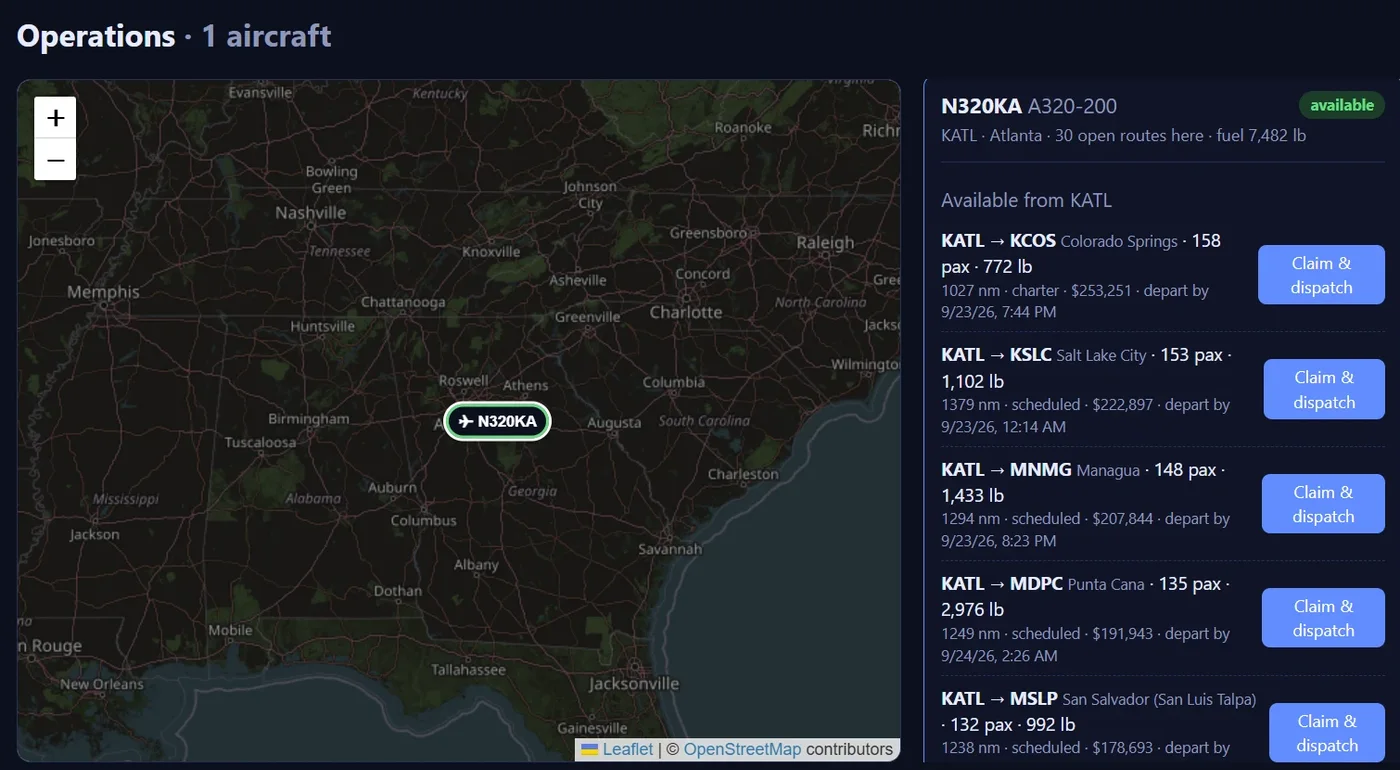
Thirty open routes from KATL. Pick one, claim it, dispatch. -
2
Operate
Board passengers. Load cargo. Fuel the aircraft. Push back.
The turnaround follows your simulator live: fuel on board, passengers seated, cargo loaded. The cabin chime sounds and boarding is announced on your sim PC. When the load locks at pushback, WayFix compares it with the plan.
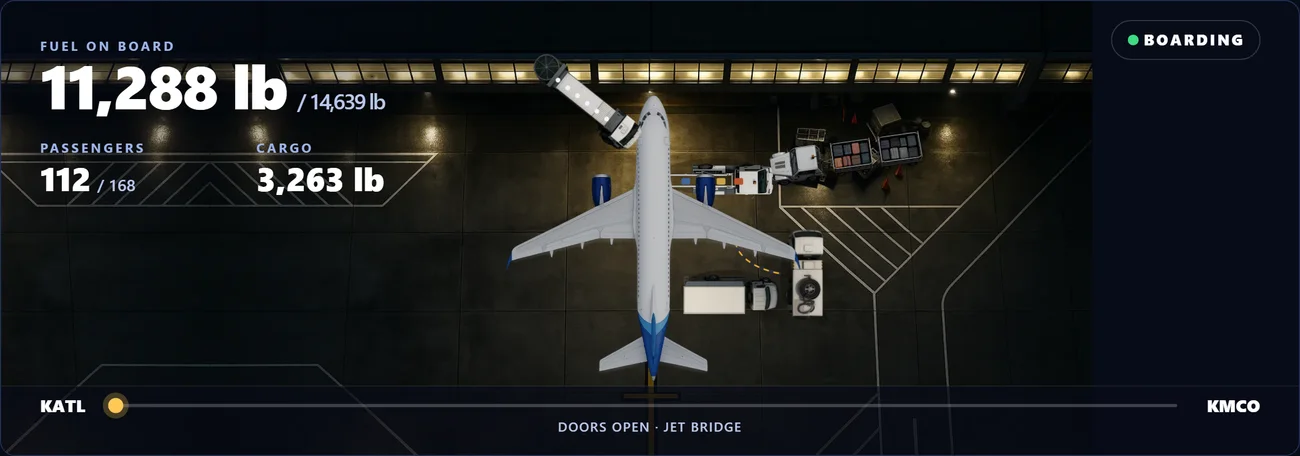
From above: the stand, the jet bridge, fuel, bags and catering, with the load counting up from the live feed. -
3
Fly
WayFix follows every stage of the flight in real time.
Taxi, take-off, climb, cruise, descent, approach. Your passengers hear the right announcement at the right moment — seatbelt signs through ten thousand feet, service in the cruise, cabin secure for landing — in a natural voice, from the actual flight phase. Lose the connection mid-flight and WayFix holds the flight rather than ending it — pick up where you left off, not from the start.
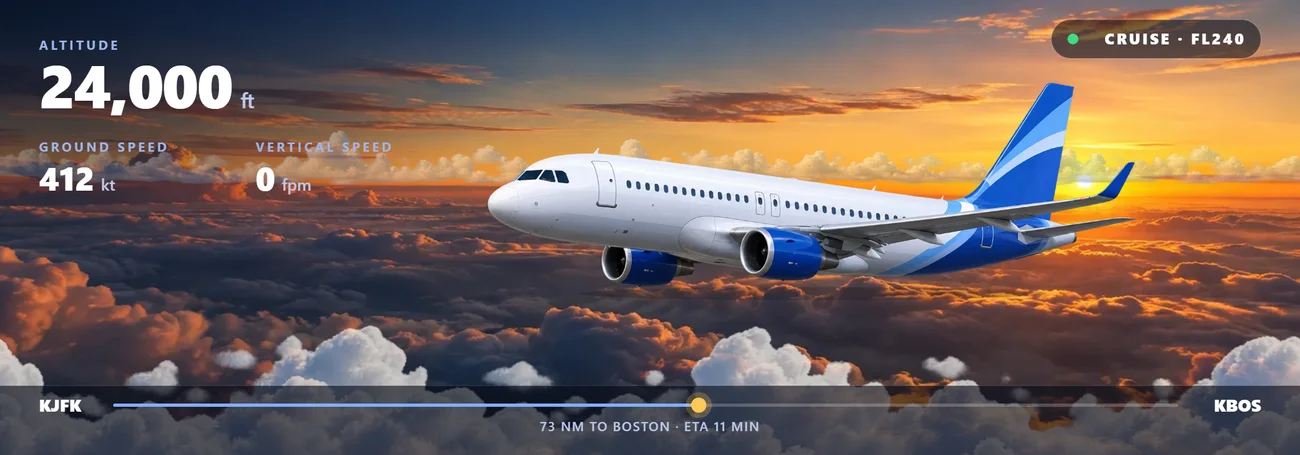
The live cockpit page, from any browser. -
4
Prove it
The flight is verified and scored.
The server keeps its own record of the flight, not the one your PC reports afterwards. Optional operational events — a bird strike that damages an engine, a destination that closes, weather below minima — test the decision, never the luck: handle it well and it pays.
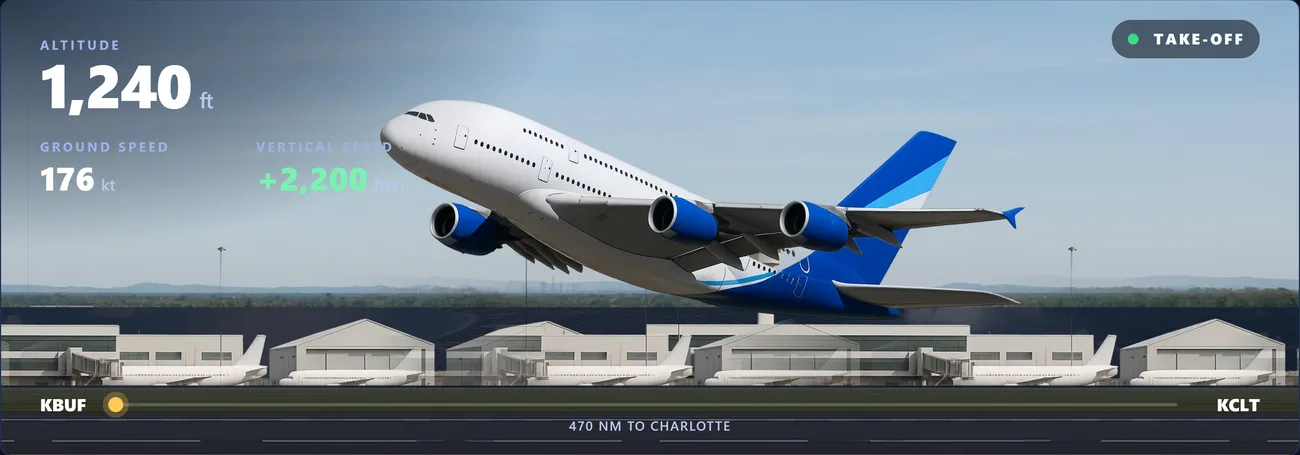
Every frame of the take-off, kept by the server: rotation, lift-off, gear up, and how the landing goes later. -
5
Get paid
Revenue. Fuel. Fees. Maintenance. Profit.
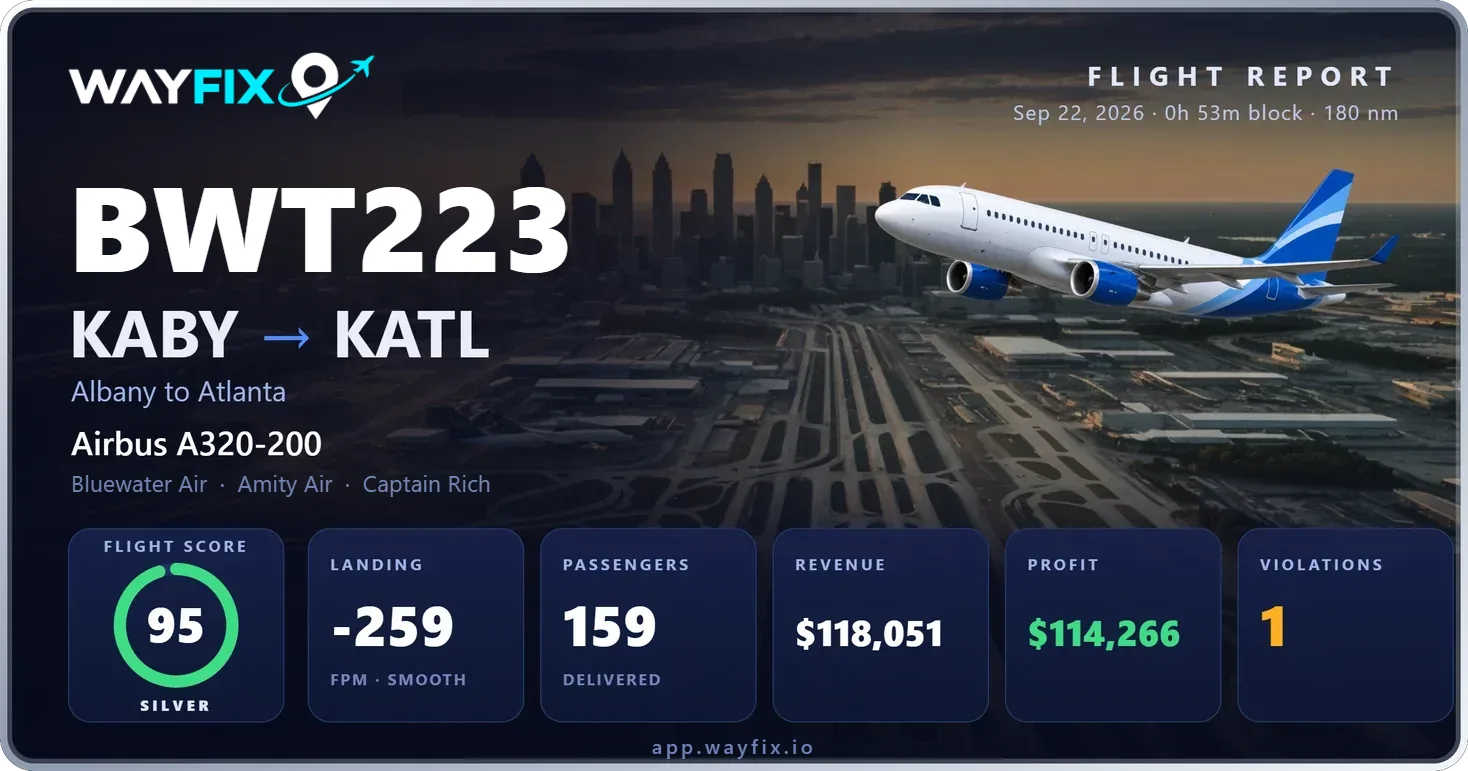
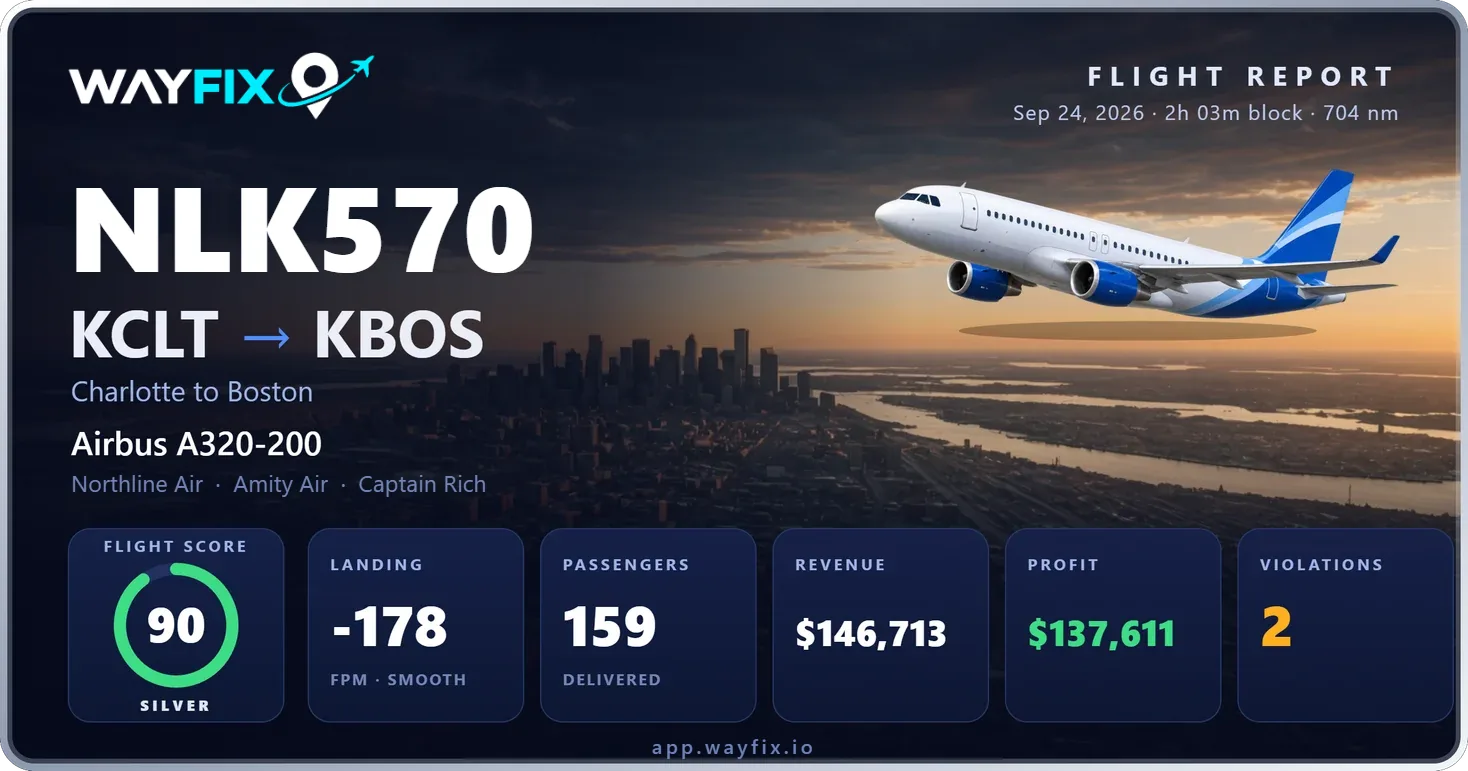
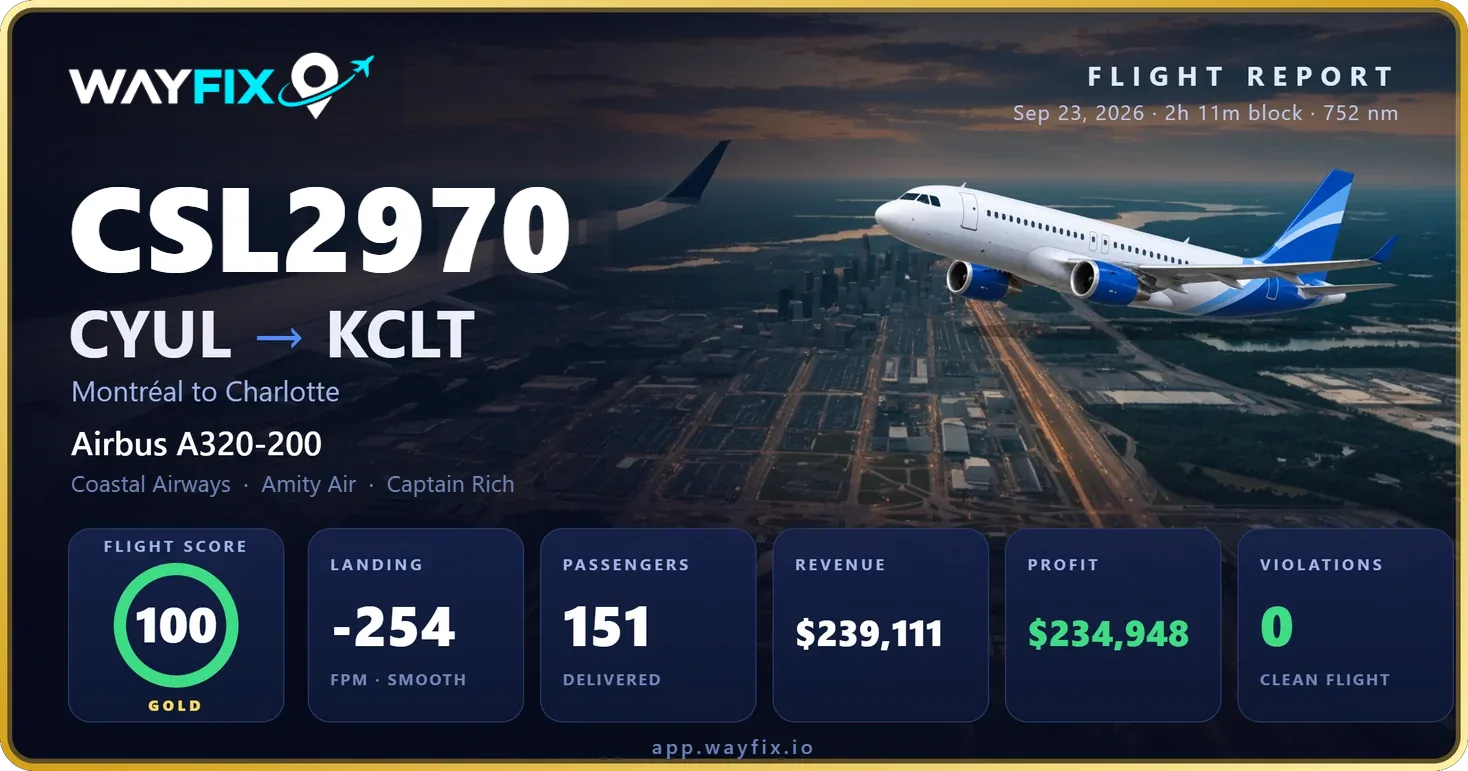
That landing was not another logbook entry. It made your airline money — or cost it. Every settled flight becomes a card you can share, with the score, the landing rate and the profit on it.
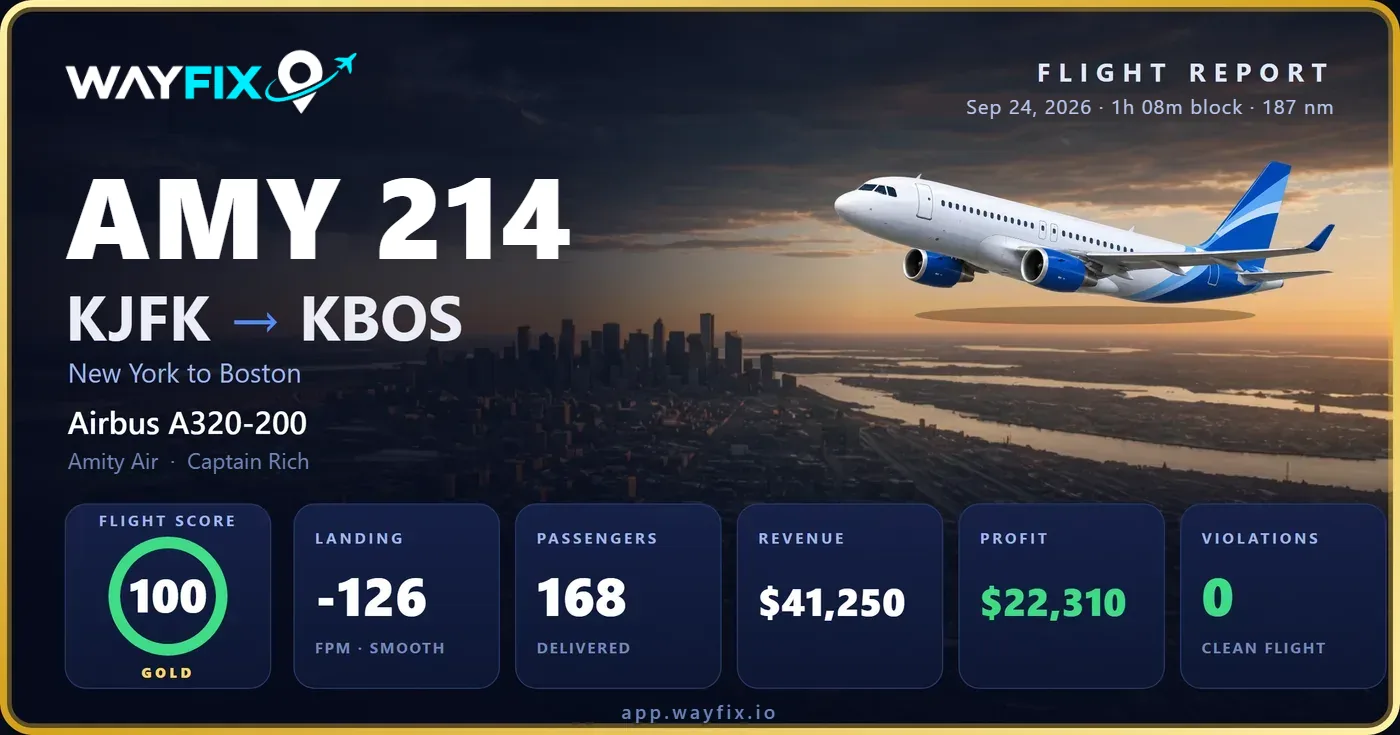
One tap to Discord, Reddit or your group chat. Every card lands in your log book. -
6
Build
Buy aircraft. Grow the fleet. Build the airline.
Aircraft stay where you leave them, carry the fuel you left in them, wear with every cycle and come due for checks. Engines, airframe, gear and systems wear separately, and a check that's overdue grounds the aircraft until it's done. Buy it, fly it, maintain it, wear it out, replace it.
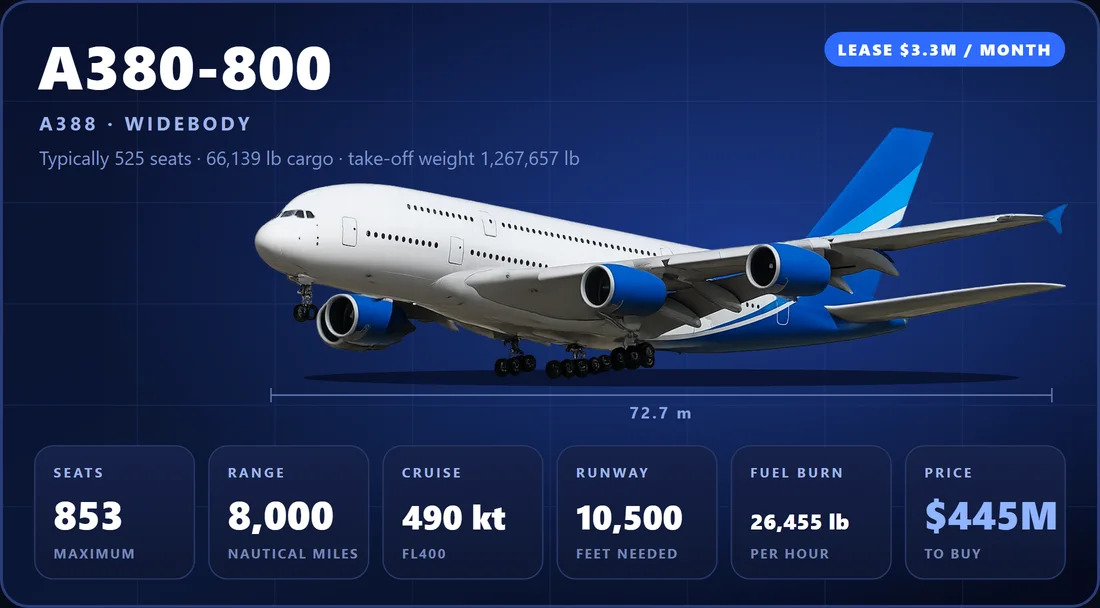
The top of the market: the A380, when your airline can pay for it.
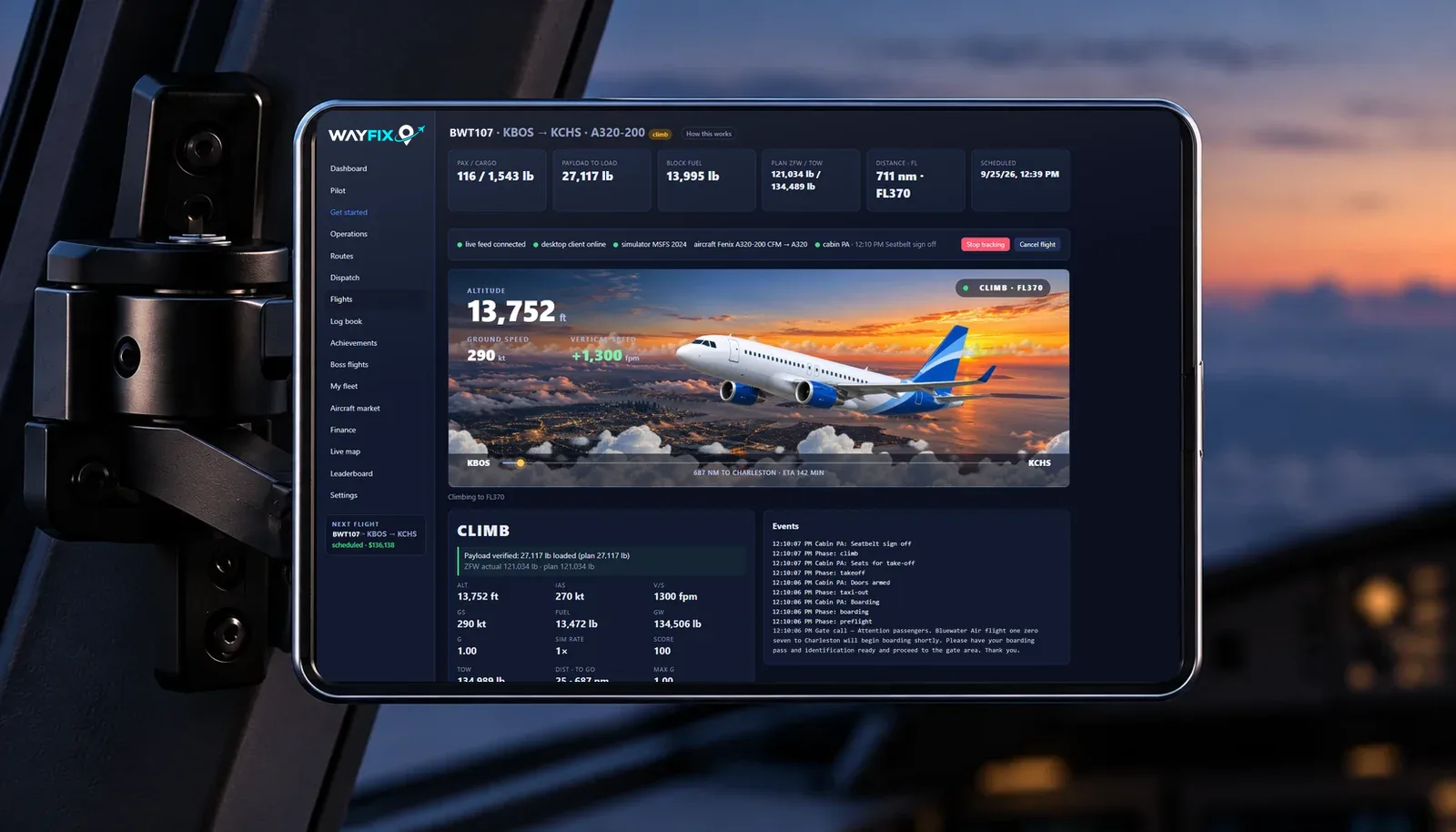
The live cockpit page
Everything about the flight, on one screen
A flight in progress: Bluewater Air 107 from Boston to Charleston in a Fenix A320, climbing through 13,700 ft. The plan, the payload check, the live numbers, every cabin announcement, the animated flight scene, the route and the map — from any browser, while the simulator runs on the sim PC.
Season 1
Boss flights
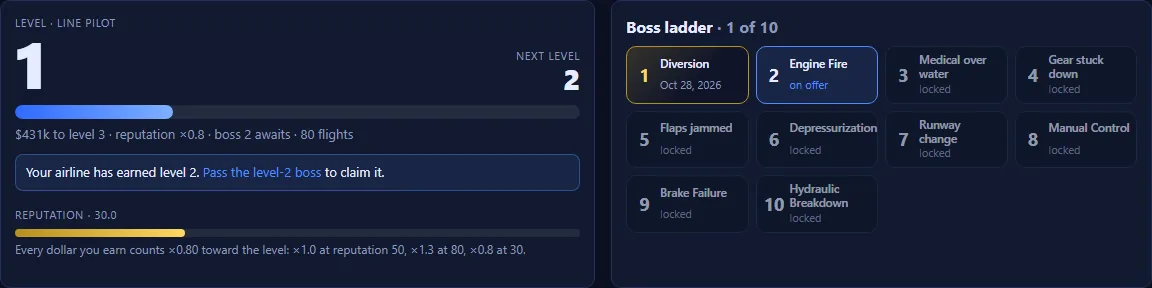
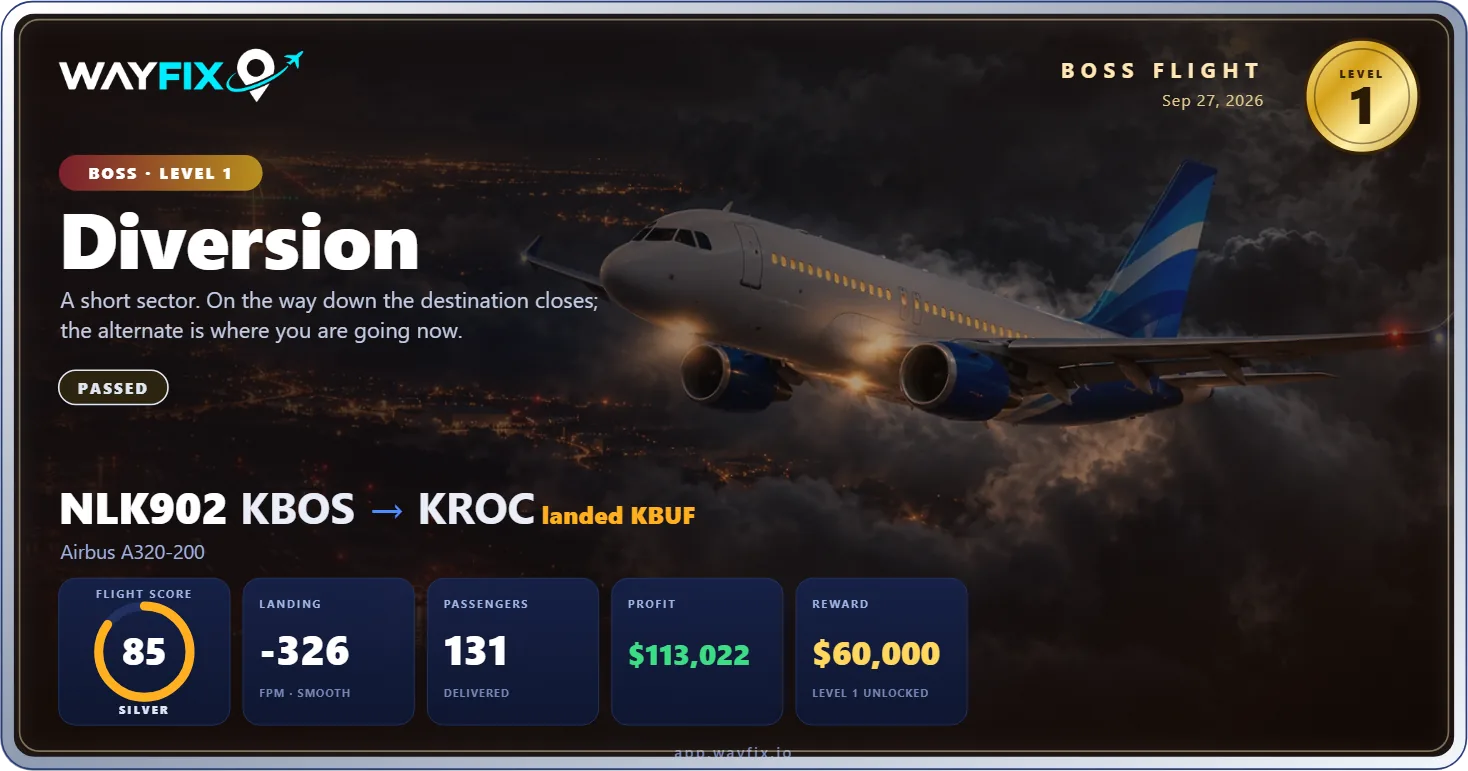
Season 1 is ten boss flights, one for each of the first ten levels. Each is a scripted challenge from your hub that you must pass to hold the next level. You set up the conditions in the sim before departure; the server makes the calls in the air; the flight's own telemetry decides whether you passed.
The route is fixed, you choose the aircraft, and there is no contract: the reward is the pay, in airline money, from a base of $60,000 on the first boss, with a badge each and a Chief Pilot badge for the set. On a default aircraft the server pulls the engine itself; on an add-on it tells you when to arm the failure, and reads the engine from the telemetry either way. Fail, and you retry after a cooldown for a fee in airline money. Canceling, or losing the simulator, counts as a fail. Season 2 is planned for Q1 2027.
- A scripted challenge for each of the first ten levels
- Season 1: ten boss flights, from a diversion to a hydraulic emergency
- You set up the conditions in the sim before departure
- The server makes the calls in the air
- The flight's own telemetry decides whether you passed
- Base pay from $60,000, a badge each, a Chief Pilot badge for the set
- Fail, and you retry after a cooldown for a fee in airline money
Ten boss flights, one poster each.
-
Boss 1Diversion
-
Boss 2Engine Fire
-
Boss 3Medical over water
-
Boss 4Gear stuck down
-
Boss 5Flaps jammed
-
Boss 6Depressurization
-
Boss 7Runway change
-
Boss 8Manual Control
-
Boss 9Brake Failure
-
Boss 10Hydraulic Breakdown
WX Ops
The weather writes the mission.
WX Ops scans real-world weather systems every hour, searching for the conditions that turn an ordinary flight into a serious operational challenge.
When thunderstorms, powerful winds, winter storms, low visibility, nor'easters, or other significant weather develops, WayFix creates a dynamic challenge flight based on what is happening in the real world.
Boss Flights are carefully designed. WX Ops are created by the conditions unfolding right now. Airports, and the operational pressure they put you under, change as each weather system develops and moves.
A challenge opens at the airport with a window and a severity; fly to it, or out of it, while the window is open, with live weather on. The simulator's own weather near the airport is what counts, read from the telemetry like everything else, so a challenge that the sim never showed you is unverified, not passed. A pass pays $15,000 to $60,000 by severity, plus reputation and a badge for each kind of weather.
Real weather. Dynamic missions. Your decisions.
- Real-world weather scanned every hour
- Dynamically generated challenges, wherever the weather is
- Thunderstorms, crosswinds, low visibility, winter weather, and more
- Detailed briefings based on current conditions
- Time-sensitive flights that change as the weather changes
- New challenges appearing across different regions
- No two weather systems — or WX Ops — are exactly alike
Challenges look like this. The real ones come from today's weather, and change with it.
- ExampleNor'easter at BostonKBOS · SN · VIS ¾SM · SEVERETUE 1400Z – WED 0200Z$35,000 · reputation +1
- ExampleFreezing rain at ChicagoKORD · FZRA · ICE STORM WARNING · EXTREMETHU 2100Z – FRI 0900Z$60,000 · reputation +2
- ExampleFog at San FranciscoKSFO · FG · VIS 1SM · HARDSAT 1100Z – SAT 1800Z$15,000 · reputation +0.5
- ExampleThunderstorms at DallasKDFW · TS · G38KT · SEVEREMON 1900Z – TUE 0300Z$35,000 · reputation +1
Levels
Every flight moves you forward.
Level isn't a flight count. It's earned by the money your airline has actually made flying — every settlement, every boss flight, every WX Ops pass — weighted by its reputation at the time, and each level is held by its boss flight. Buying the aircraft you want never costs you level; a flight that didn't count for anything doesn't add to it either.
- Season 1Ten levels, Line Pilot, one boss flight each
- Boss flightsEach level is held by passing its boss flight
- LeaderboardRanked by level, then lifetime earnings
The log book
Every flight becomes a collectible.
Every flight earns a card — the route, the aircraft, the score, the landing, the money it made. Fly enough, and your log book starts to look like a collection worth showing off.
- Career totalsFlights and clean flights, average score and medals, smoothest landing, passengers, hours and distance, airports and profit
- OrderNewest first, or by score, landing, profit or sector length
- FindBy flight number, airport, city, aircraft or airline
- OpenAny card, full size
- ShareTo Discord, Reddit or a message; copy it as an image; download the PNG
- PermanentDiversions and events stay on the card; nothing is edited after settlement
Operations monitoring
WayFix is watching
Load the aircraft wrong and WayFix knows. The flight is tracked by the server from the gate to the gate, so a score means the same thing for every pilot on the leaderboard.
Everything the server checks, on every flight.
- PayloadZero-fuel weight checked against the plan, from your aircraft's real empty weightZFW VS PLAN · ±3% OR 250 KG
- Fuel in flightAdding fuel after departure is seen and scoredFUEL ADDED · AIRBORNE
- Slew and teleportPosition jumps end the flightPOSITION JUMP > GS
- Time accelerationDetected, not trustedSIM RATE > 1.0X
- Taxi speed35 kt to the gate is not a procedureGND SPD · TAXI PHASE
- Overspeed, stall, overweightLogged with the moment they happenedVNE · AOA · MTOW
- SystemsLights, transponder, pitot heat and anti-ice, scored on the default aircraft and advisory on add-onsLTS · XPDR · PITOT · ICE
The landing
Judged against the runway you actually landed on, then explained in plain English.
- Scored out of 100 on sink rate, touchdown zone, centerline, crab and bank, measured on that runway.
- Your approach, measured: glidepath angle, height over the threshold, speed at 1,000 ft, 500 ft and the threshold, float, bounces, rollout.
- A coach line that names what cost you the most points, with the number. Your best on the type, and how your last ten landings trend.
RUNWAY · GLIDEPATH · TOUCHDOWN ZONE · COACH
- Sink rate30 / 30
- Touchdown zone18 / 30
- Centerline20 / 20
- Crab10 / 10
- Bank10 / 10
Coach Touched down 2,400 ft past the threshold, 400 ft beyond the zone, after crossing at 71 ft and 9 s of float.
Built for the aircraft you actually fly
Study-level airliners, as you already operate them
If you spend twenty minutes bringing an aircraft to life before pushback, WayFix is built around that routine — SimBrief in, real weights, real procedures, and a landing that matters.
Tell WayFix what your add-on weighs each passenger, or let the SimBrief import say it, and the payload target follows, so the load sheet and the simulator agree. Off-blocks fuel, the load sheet and the center of gravity are all checked against the simulator's own numbers — burn more than you should have and it shows on the settlement.
-
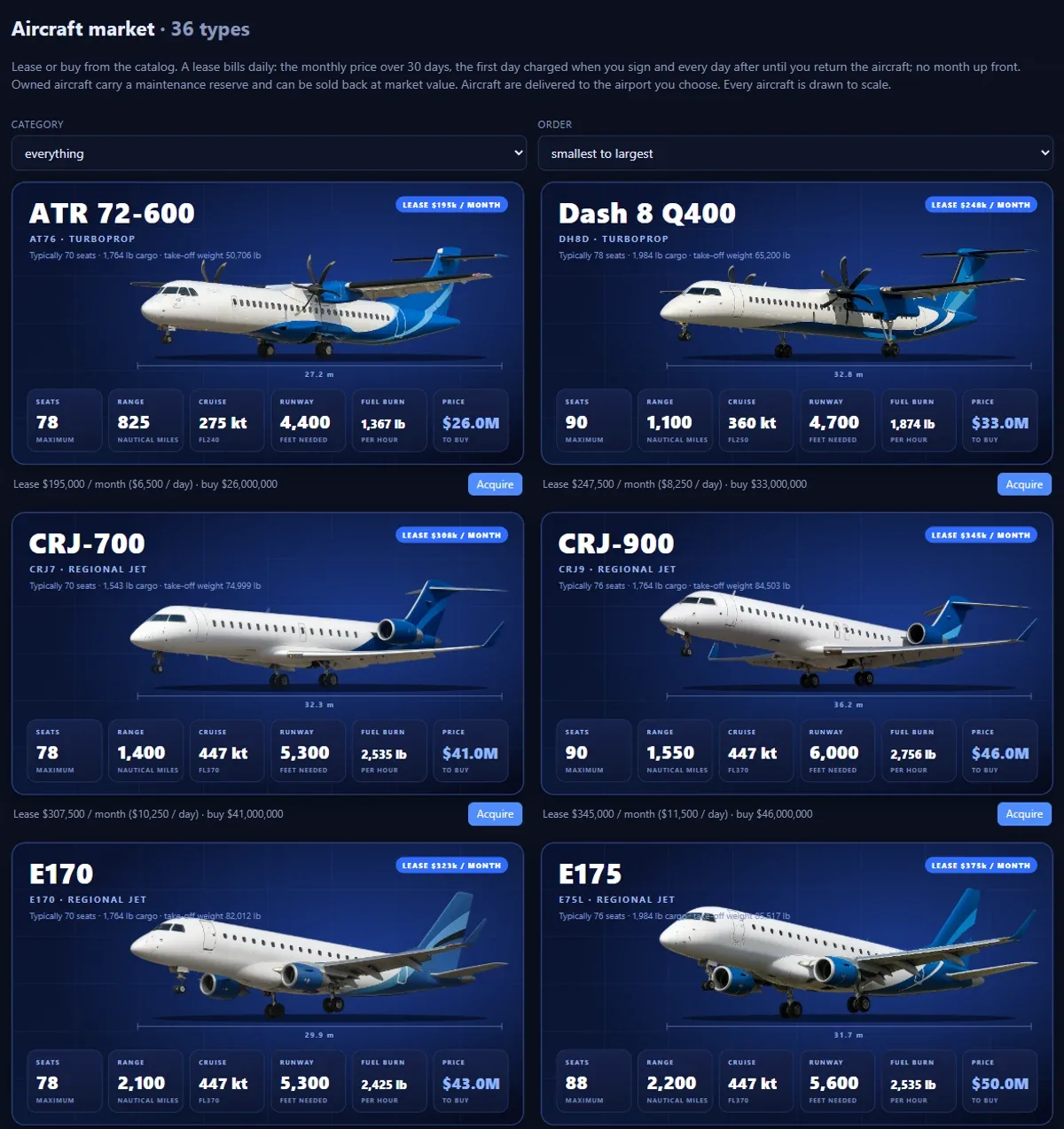
Aircraft market
Lease or buy from 36 types, with condition and value.
-
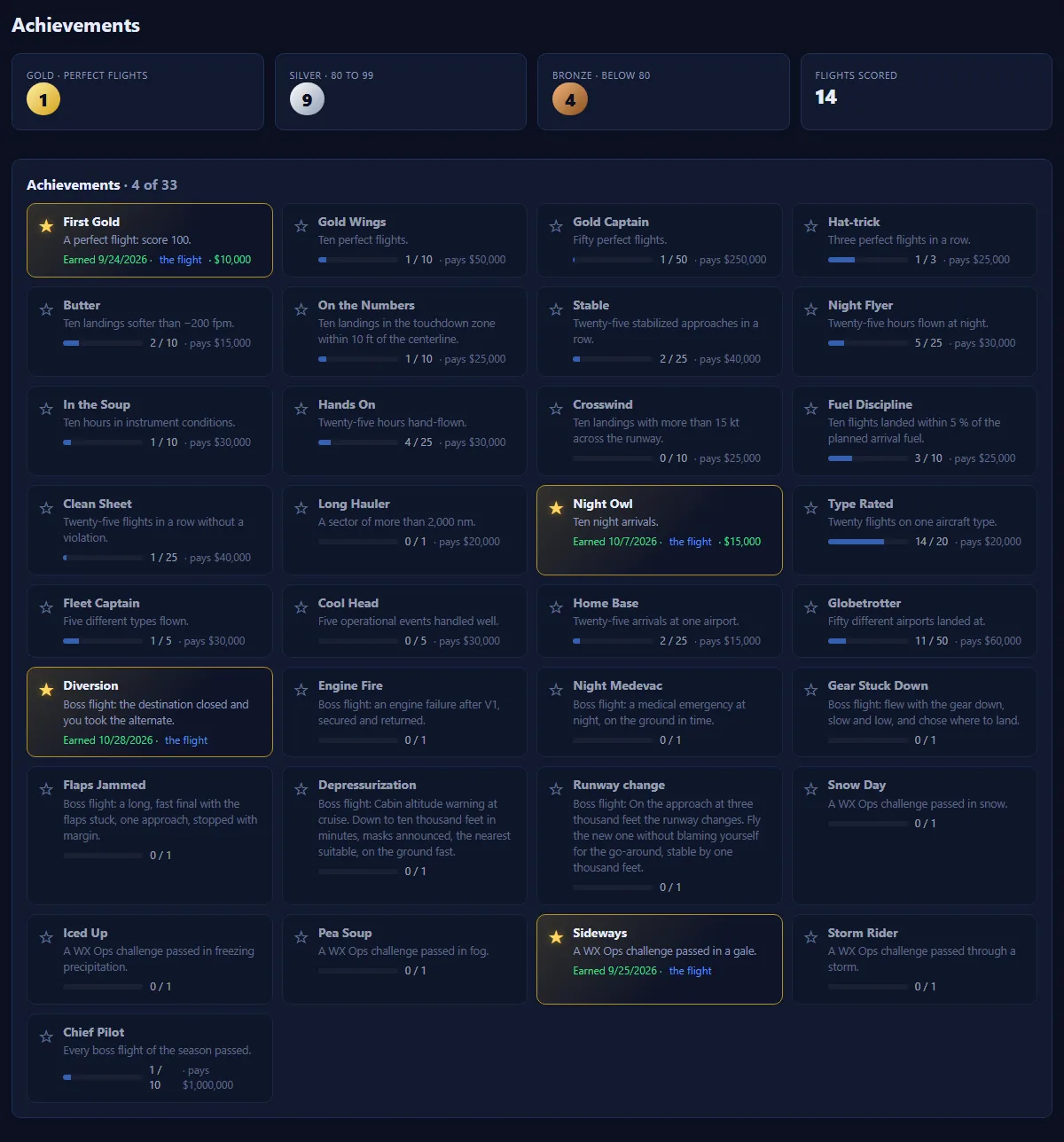
Achievements
Your badges, and what is left to earn.
-
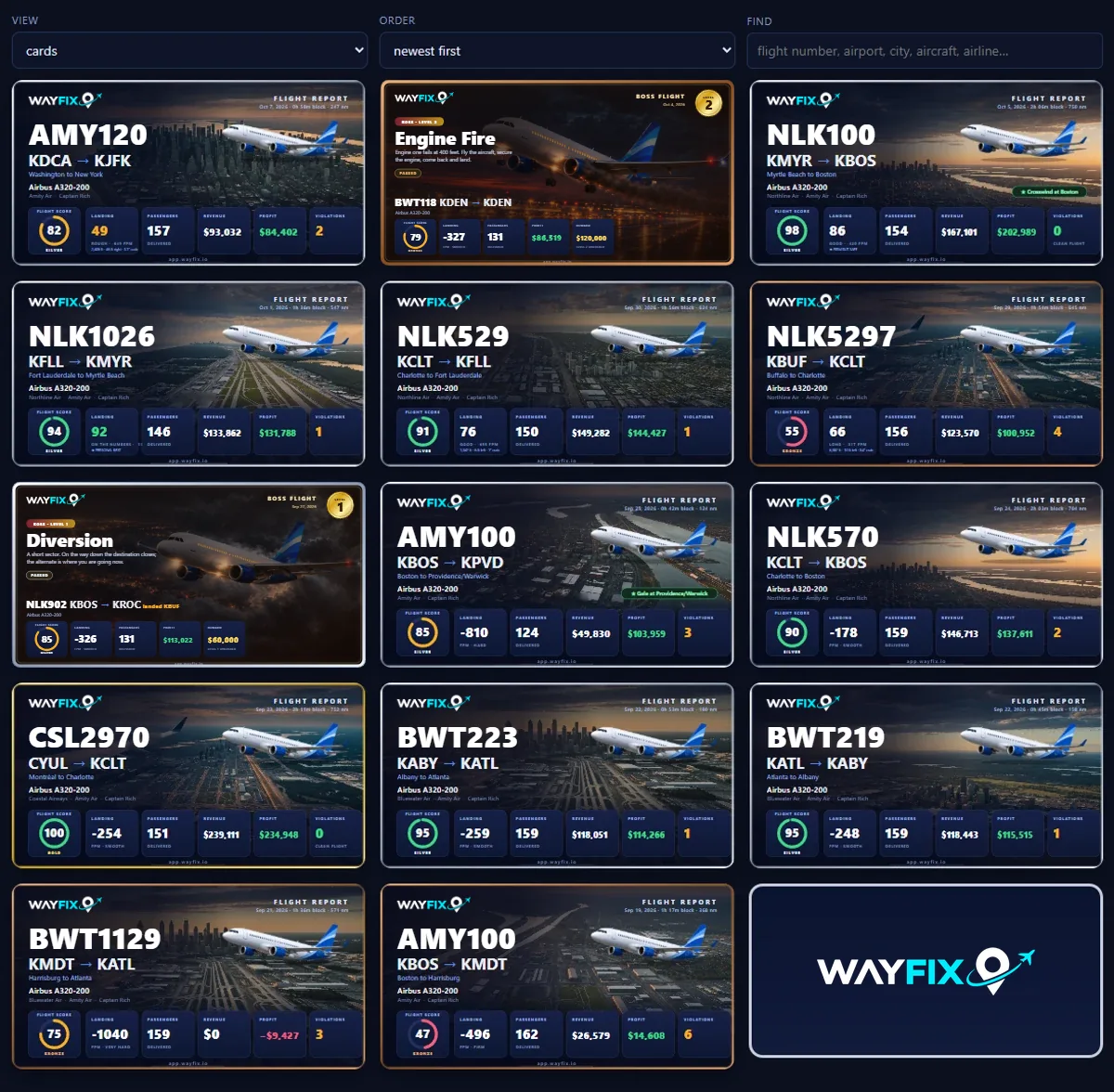
Log book
Every flight becomes a collectible.
Plans
Founding Flight Crew
The first hundred paid accounts are the Founding Flight Crew: the first year at $39.99 (then $59.99 a year), a permanent badge on the profile and the leaderboard, and our ear on what does not feel right.
Launching soon
Trial
Free
Starts after launch, when you register: three completed flights or 14 days, no card. Long enough to fly the whole loop, even if you only fly at weekends.
Monthly
$6.99 / month
Everything in WayFix, cancel whenever you like.
Annual
$59.99 / year
Twelve months of Monthly is $83.88. Annual is $59.99, which is $23.89 less.
Founding Pilot
$39.99 first year, then $59.99 / year
First year, for the Founding Flight Crew; renews at $59.99 a year. Badge included, for good.
Prices in US dollars, tax included. Plans renew automatically until you cancel; cancel any time from Manage billing in the app. Airline money is the game's virtual money: it has no cash value and cannot be bought, sold or cashed out. Every plan is everything in WayFix; a lapsed account keeps its airline and all its progress. Our order process is conducted by our online reseller Paddle.com. Paddle.com is the Merchant of Record for all our orders. Paddle provides all customer service inquiries and handles returns. See the Terms of Service and the Refund Policy.
Questions
Before you ask

PRESS A KEY FOR ITS TOPIC
- WINDOWS 10/11, 64-BIT, WITH MSFS 2024 ON THE SAME PC
- THE WAYFIX CLIENT, AN INSTALLER OF ABOUT 85 MB
- OUTBOUND HTTPS AND WEBSOCKET ON PORT 443
- SPEAKERS OR HEADPHONES FOR THE CABIN CALLS
- ANY BROWSER, ANY DEVICE, FOR PLANNING AND WATCHING
- NOT SUPPORTED: XBOX, MACOS, LINUX, OTHER SIMS
PRESS HOME TO CLEAR
CLIENT — A SMALL APP THAT SITS IN YOUR TRAY ON THE SIM PC
READS — POSITION, SPEEDS, FUEL, GEAR, FLAPS, LIGHTS AND THE WEATHER
PLAYS — THE CABIN AND TERMINAL CALLS ON THAT PC
GET IT — SETTINGS, ONCE SIGNED IN; PASTE IN YOUR CLIENT TOKEN
ABOUT 85 MB, SIGNED BY VAPOR TRAIL SIMULATIONS — IF SMARTSCREEN ASKS, “MORE INFO”, THEN “RUN ANYWAY”
PRESS HOME TO CLEAR
EVERY AIRCRAFT IS SCORED THE SAME FOR WEIGHT, FUEL AND LANDING
SYSTEMS CHECKS (LIGHTS, TRANSPONDER, PITOT HEAT, ANTI-ICE) COUNT ON MSFS DEFAULT AIRCRAFT ONLY
ON ADD-ONS THEY’RE ADVICE ONLY — NO SCORE EFFECT YET
RECOGNIZED — FENIX A319/A320/A321, PMDG 737, FLYBYWIRE A32NX, INIBUILDS A310
36 TYPES IN THE CATALOG; ANYTHING ELSE STILL FLIES, SHOWN AS UNVERIFIED
PRESS HOME TO CLEAR
NOT BLOCKED, NOT USED EITHER — IT ONLY READS THE SIMULATOR
TIME ACCELERATION, SLEW AND TELEPORTING STILL COST POINTS OR END THE FLIGHT
CABIN CALLS PLAY ON YOUR PC NEXT TO YOUR VOICE AUDIO — MUTE THEM IN SETTINGS
NOT TESTED TOGETHER; VATSIM’S OWN RULES ARE VATSIM’S CALL
PRESS HOME TO CLEAR
YOUR AIRLINE AND ALL ITS PROGRESS ARE KEPT.
PRESS HOME TO CLEAR
WHAT — A SCRIPTED CHALLENGE FROM YOUR HUB: SET UP THE CONDITIONS IN THE SIM, THE SERVER MAKES THE CALLS, THE TELEMETRY DECIDES
SEASON 1 — TEN BOSS FLIGHTS, ONE FOR EACH OF THE FIRST TEN LEVELS
MOVE UP — PASS THE BOSS TO HOLD THE NEXT LEVEL
FAIL — RETRY AFTER A COOLDOWN FOR A FEE IN AIRLINE MONEY; CANCELING, OR LOSING THE SIM, COUNTS AS A FAIL
MORE — SEASON 2 IS PLANNED FOR Q1 2027
PRESS HOME TO CLEAR
Select a topic on the unit to read its full answer here.
What do I need to run it? Windows 10 or 11, 64-bit, with MSFS 2024 on the same PC. The WayFix Client: an installer of about 85 MB. Internet: outbound HTTPS and WebSocket on port 443; nothing to open on your router. Speakers or headphones for the cabin announcements. Any current browser, on any device, for planning and watching your flight. Not supported: Xbox, or macOS and Linux for the client; other simulators. SimBrief is optional, for importing a flight plan.
What do I install on my sim PC? The WayFix desktop client. It is a small Windows app that sits in your tray, reads your flight from Microsoft Flight Simulator 2024 (position, speeds, weights, fuel, gear, flaps, lights and the weather at the aircraft) and sends it to your airline. It also plays the cabin announcements, the crew and the terminal calls on that PC. Once you have signed in, download it from Settings and paste in a client token from the same page. The installer is about 85 MB and is signed by Vapor Trail Simulations, the name Windows shows as its publisher. On a PC that has not seen it before, SmartScreen may still ask you to click “More info”, then “Run anyway”. Everything else, planning, dispatch and watching your flight, happens in your browser, on any device.
Which add-on aircraft are verified? Every aircraft is scored the same way for weights, fuel, landing and the flight rules, as long as it reports them through the simulator’s standard variables. The one thing that depends on the aircraft is the systems checks: lights, transponder, pitot heat and anti-ice. Those count against your score on the MSFS default aircraft. On add-ons you get the same checks as advice on your flight page, with no effect on your score, until we have seen that add-on’s switches move in real flights. We recognize the Fenix A319, A320 and A321 from a real install, and the PMDG 737, FlyByWire A32NX and iniBuilds A310 by the names their developers document. The catalog holds 36 airliner types; an aircraft outside it still flies, but it is shown as unverified.
Can I fly on VATSIM at the same time? WayFix does not use or block VATSIM, and nothing in it stops you flying on the network with the client running. It only reads the simulator. Three things to know: time acceleration, slew and teleporting cost you points or end the flight, which the network forbids anyway; “night” follows the clock inside the simulator; and the cabin announcements play on your PC next to your voice audio, so you can mute them in Settings. We have not tested the two together, and whether VATSIM’s rules allow a third-party tracker alongside is for VATSIM to say.
What happens if my subscription lapses? Your airline and all its progress are kept.
What is a boss flight? A scripted challenge from your hub: you set up the conditions in the sim, the server makes the calls in the air, and the flight's telemetry decides whether you passed. Season 1 is ten boss flights. How do I move up? The first ten levels are each held by passing their boss. What if I fail? You retry after a cooldown for a fee in airline money. Canceling, or losing the simulator, counts as a fail. Will there be more? Season 2 is planned for Q1 2027.
What do I need to run it?
- Windows 10 or 11, 64-bit, with MSFS 2024 on the same PC
- The WayFix Client: an installer of about 85 MB
- Internet: outbound HTTPS and WebSocket on port 443; nothing to open on your router
- Speakers or headphones for the cabin announcements
- Any current browser, on any device, for planning and watching your flight
- Not supported: Xbox, or macOS and Linux for the client; other simulators
- SimBrief is optional, for importing a flight plan
What do I install on my sim PC?
The WayFix desktop client. It is a small Windows app that sits in your tray, reads your flight from Microsoft Flight Simulator 2024 (position, speeds, weights, fuel, gear, flaps, lights and the weather at the aircraft) and sends it to your airline. It also plays the cabin announcements, the crew and the terminal calls on that PC. Once you have signed in, download it from Settings and paste in a client token from the same page. The installer is about 85 MB and is signed by Vapor Trail Simulations, the name Windows shows as its publisher. On a PC that has not seen it before, SmartScreen may still ask you to click “More info”, then “Run anyway”. Everything else, planning, dispatch and watching your flight, happens in your browser, on any device.
Which add-on aircraft are verified?
Every aircraft is scored the same way for weights, fuel, landing and the flight rules, as long as it reports them through the simulator’s standard variables. The one thing that depends on the aircraft is the systems checks: lights, transponder, pitot heat and anti-ice. Those count against your score on the MSFS default aircraft. On add-ons you get the same checks as advice on your flight page, with no effect on your score, until we have seen that add-on’s switches move in real flights. We recognize the Fenix A319, A320 and A321 from a real install, and the PMDG 737, FlyByWire A32NX and iniBuilds A310 by the names their developers document. The catalog holds 36 airliner types; an aircraft outside it still flies, but it is shown as unverified.
Can I fly on VATSIM at the same time?
WayFix does not use or block VATSIM, and nothing in it stops you flying on the network with the client running. It only reads the simulator. Three things to know: time acceleration, slew and teleporting cost you points or end the flight, which the network forbids anyway; “night” follows the clock inside the simulator; and the cabin announcements play on your PC next to your voice audio, so you can mute them in Settings. We have not tested the two together, and whether VATSIM’s rules allow a third-party tracker alongside is for VATSIM to say.
What happens if my subscription lapses?
Your airline and all its progress are kept.
What is a boss flight?
A scripted challenge from your hub: you set up the conditions in the sim, the server makes the calls in the air, and the flight's telemetry decides whether you passed. Season 1 is ten boss flights. How do I move up? The first ten levels are each held by passing their boss. What if I fail? You retry after a cooldown for a fee in airline money. Canceling, or losing the simulator, counts as a fail. Will there be more? Season 2 is planned for Q1 2027.